Invite and register
Send invitations, registration links, confirmations and reminders from the event number.
Read the pre-event guide ZliccSenseWhatsApp for events
Event WhatsApp number + event bot
Zlicc sets up a WhatsApp number for your event and a bot that answers guests on WhatsApp, your event website or your event app.
Guests can register, receive passes, get reminders, find venues, ask questions and reach a person—all in one familiar conversation.
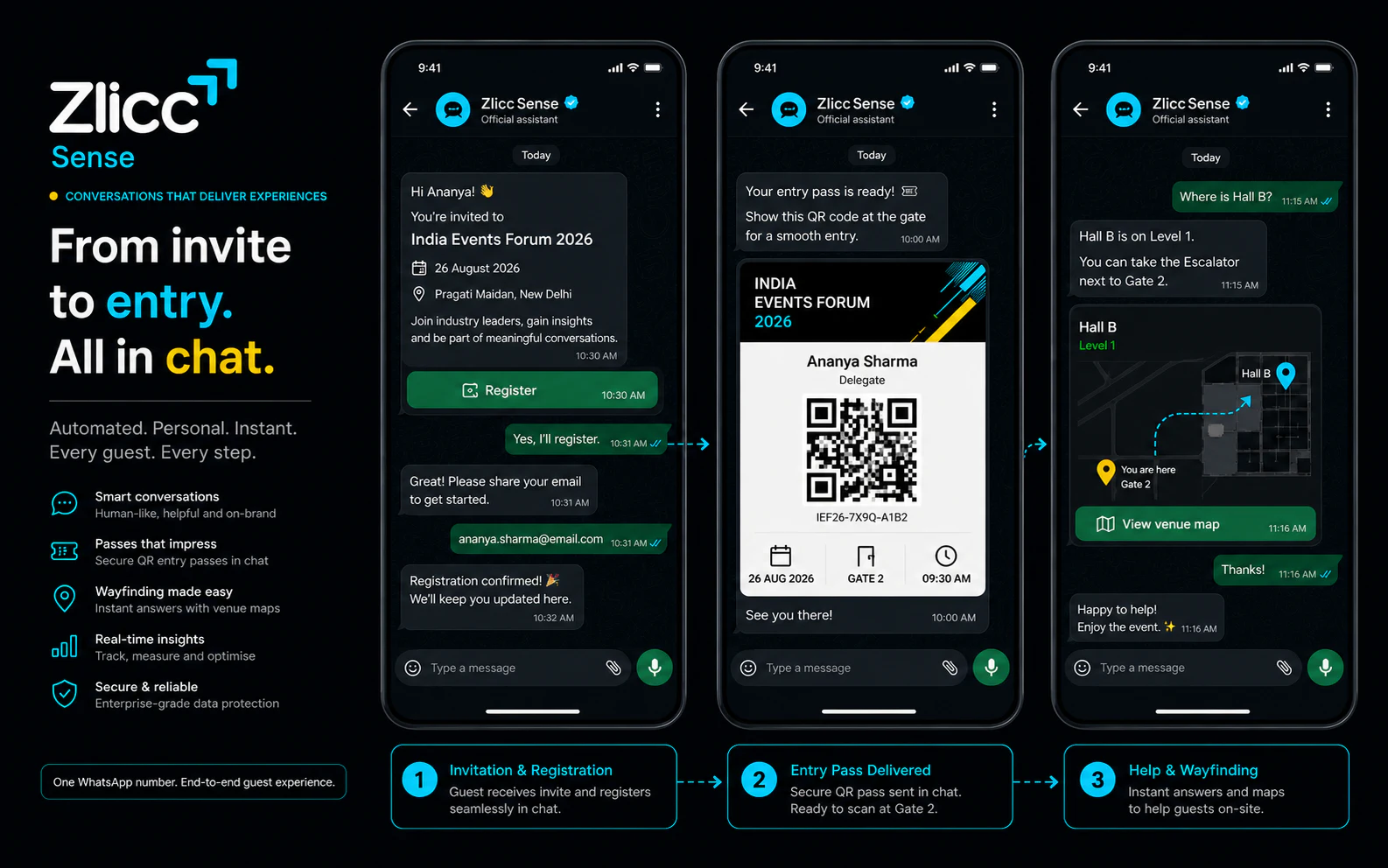
What guests can do
Give guests one familiar place for entry, updates, directions, questions and help—before, during and after the event.
Send invitations, registration links, confirmations and reminders from the event number.
Read the pre-event guideDeliver QR passes, gate details and check-in instructions in the same conversation.
Explore ZliccSyncAnswer questions about halls, sessions, speakers, parking and access in seconds.
See the conference journeyAnswer product questions, share brochures, book demos and bring in a booth host.
See trade-show use casesSend room changes, travel help and important event updates without another app download.
Explore MICE solutionsShare approved resources and follow up with guests who have agreed to hear from you.
Explore Zlicc AIThe event bot works in three places
Use the same approved event information on WhatsApp, the event website and the event app, so guests receive one clear answer everywhere.
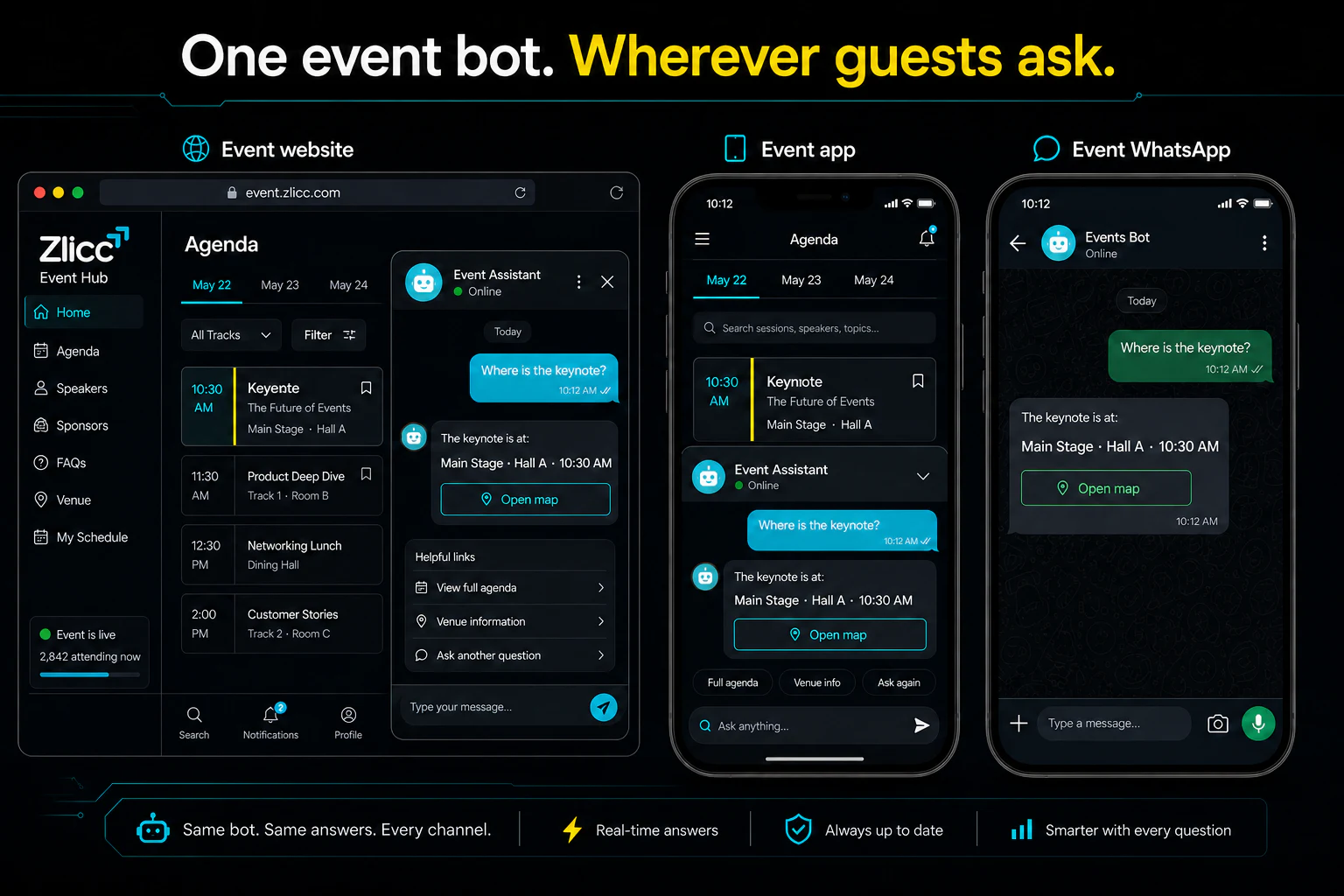
Guests message the event number they already know. The bot answers and a person can join when needed.
Add the same event bot to the website so visitors get answers while they browse or register.
Place the bot inside the event app for schedules, directions, passes and attendee support.
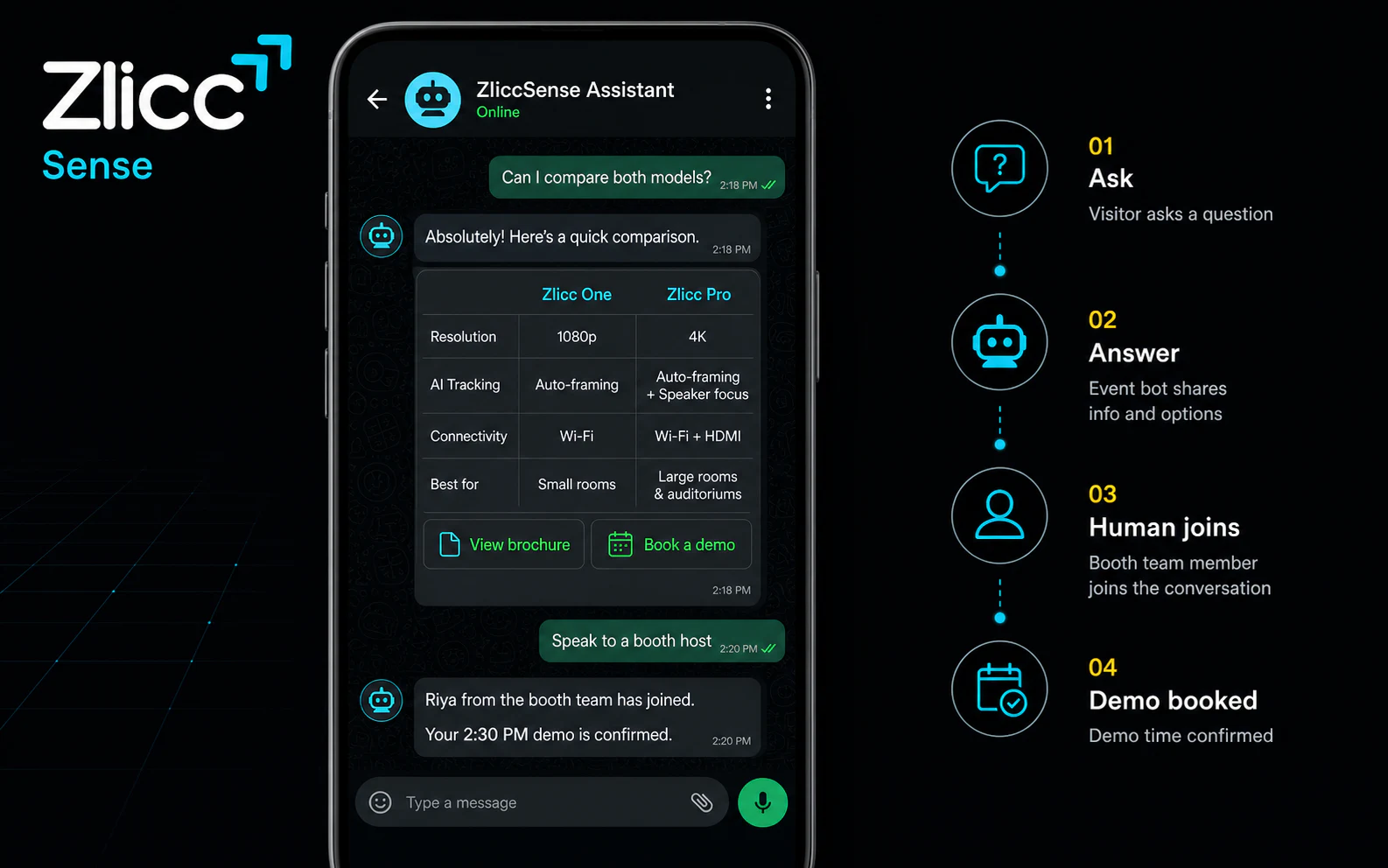
An event bot for every booth
The booth bot answers from the product information you approve. It can share brochures, compare options, book a demo and bring a booth host into the conversation.
Give clear answers using the product information supplied by the exhibitor.
Share useful material and let visitors choose an available demo time.
Bring in the right person when the visitor needs a deeper conversation.
Continue with visitors who have agreed to receive more information.
The bot uses the material supplied for the event or booth. When it should not answer, a person can step in.
From idea to live service
You keep the event number and account. Zlicc connects the messages, event bot and operating support around them.
Choose the guest messages and questions the event needs.
Set up the event’s WhatsApp number and complete the required checks.
Add the event information and approve the messages that will be sent.
Try the real guest journeys with the event team before launch.
Watch messages, questions and handovers while the event runs.
What stays with your business
Simple answers
Start with the event journey. Zlicc handles the setup behind it.
It gives the event its own WhatsApp number for guest messages and an event bot that can answer questions on WhatsApp, the event website or the event app.
Yes. Guests can receive registration confirmations, QR entry passes, reminders, venue details and approved live updates in one conversation.
The same event bot can be placed on the event’s WhatsApp number, its website and its mobile app.
Yes. When a guest needs more help, an event or booth team member can join without making the guest start again.
Yes. A booth bot can answer product questions, share brochures, book demos and pass the conversation to a booth host.
The event or business should own its number and account. Zlicc connects the messaging, bot and day-to-day operating layer around it.
No. Guests can use WhatsApp without downloading another app. The bot can also be added to the event website or app when those channels are available.
Part of the Zlicc event system
Build your event conversation
Tell us about the event, audience, venue and questions. Zlicc will shape the event WhatsApp number and bot around the real guest journey.